Table des matières
User Installation Guide of Costo Test
First step : Get Costo installed
Before testing Kmelia application we must first get COSTO installed.
For that just follow indications given on this link Costo Installation Guide
Second step : Testing an Kmelia application example
After achieving success with the previous step, our goal in this section is to test an Kmelia application using COSTO Test plugins provided for this purpose. To do this we will download an Kmelia example application, learn a little more about its design, files that compose it and finally we will test itself.
- Download the Project example archive CaseStudyModCompo14
- Test the example : They are two ways to do that step by step.
Follow Testing in flash tutorial version or Follow Testing in screenshots tutorial version.
Testing Example by following flash tutorial
- Download the tutorial flash version archive
- Unzip the archive file
- Double-click on html file to see how to test Kmelia application
Testing Example by following Screenshots Tutorial
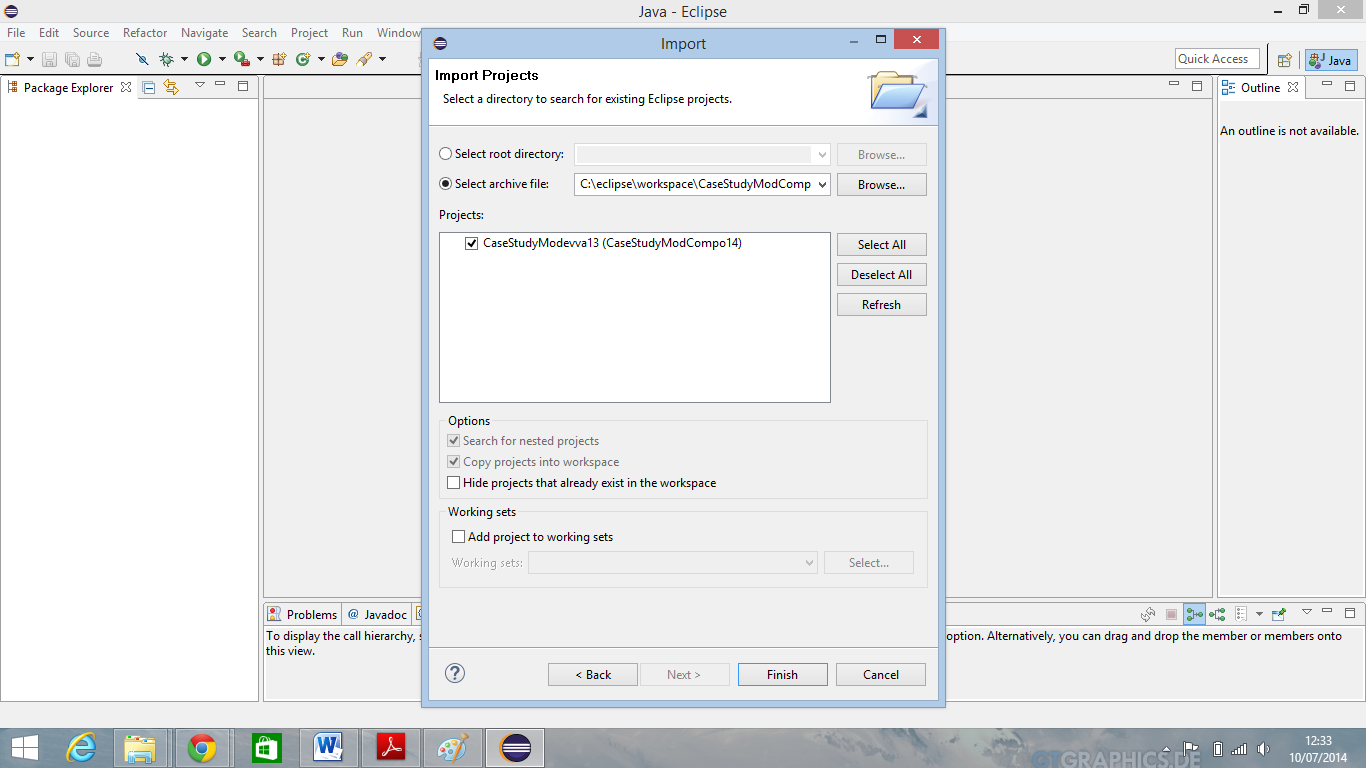
- Import the example project into eclispe
Click on File and Import.
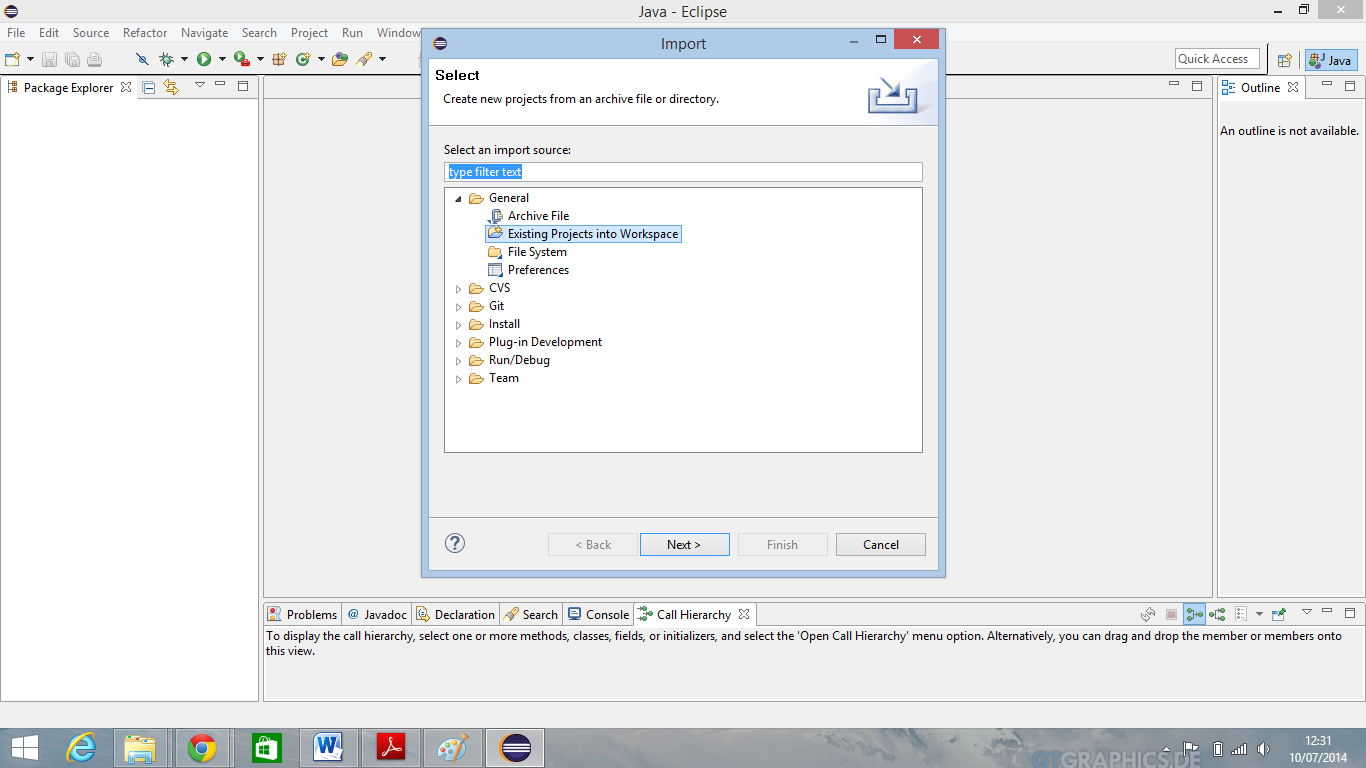
When pop up dialog open choose “Existing Projects Into Workspace” et click on button Next.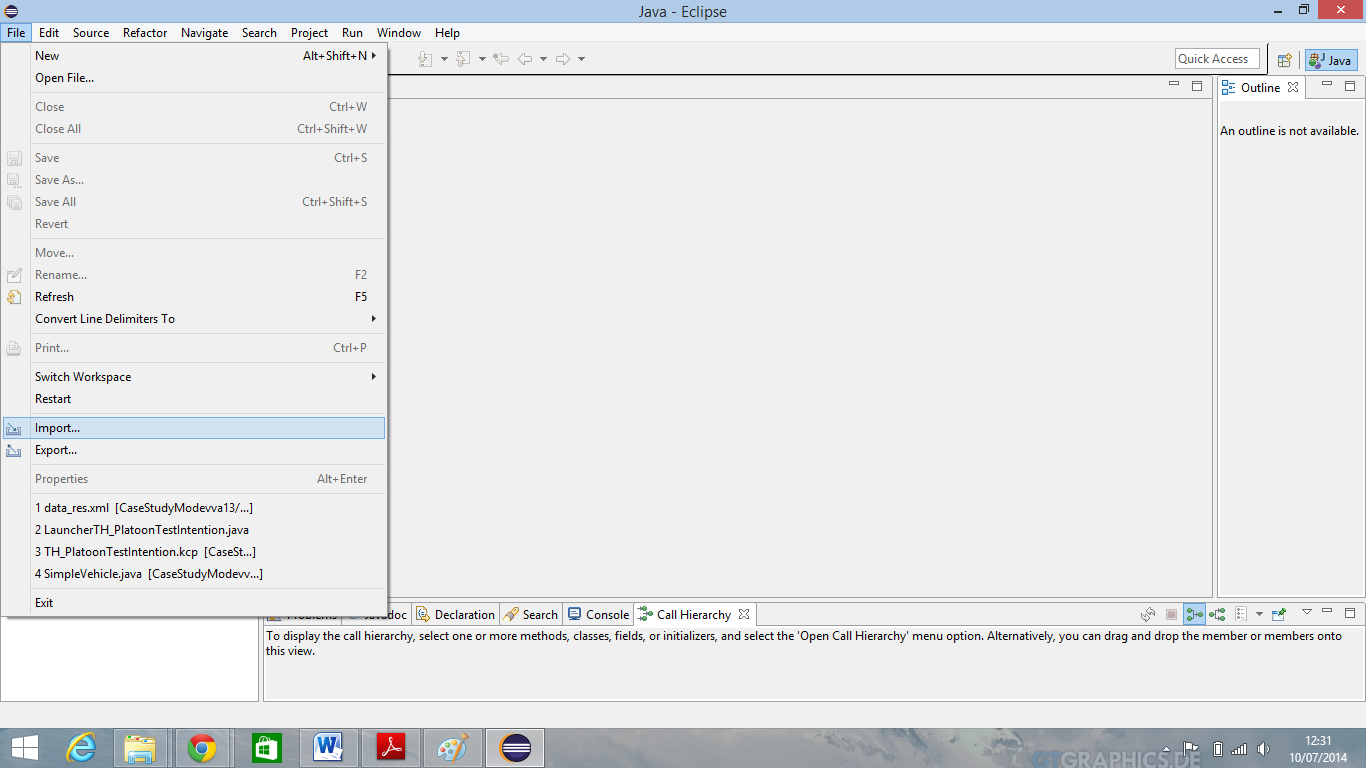
- Browse the Kmelia example application directory by clicking on Browse button and select the archive file.
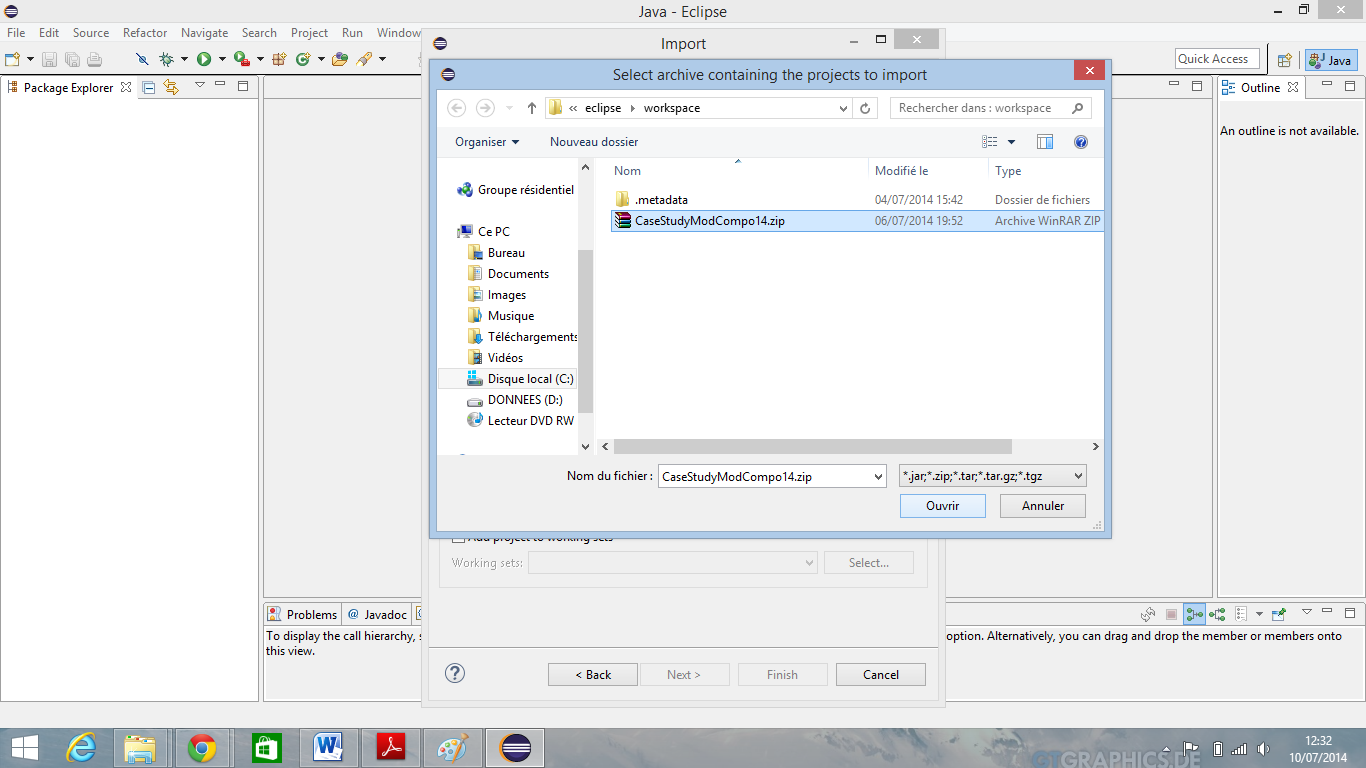
If this is done click on button Open and then click on Finish.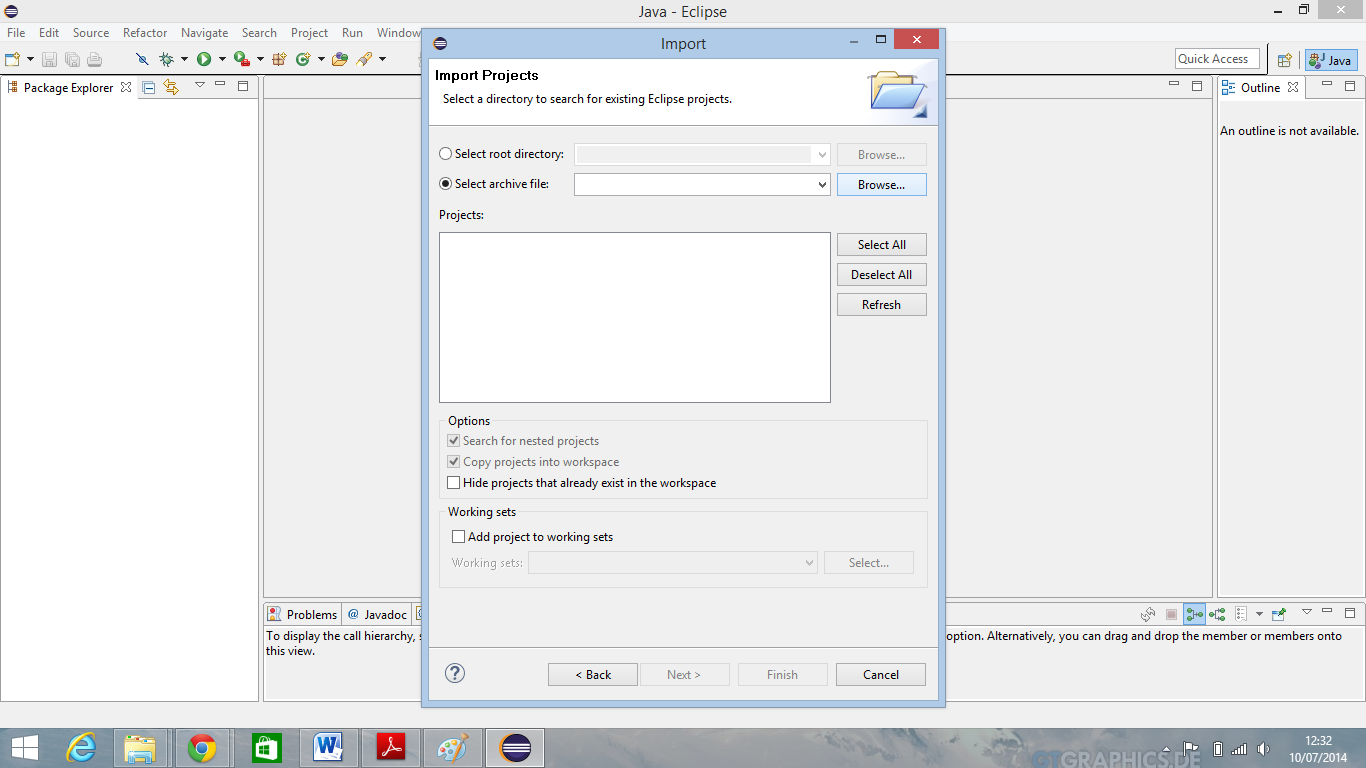
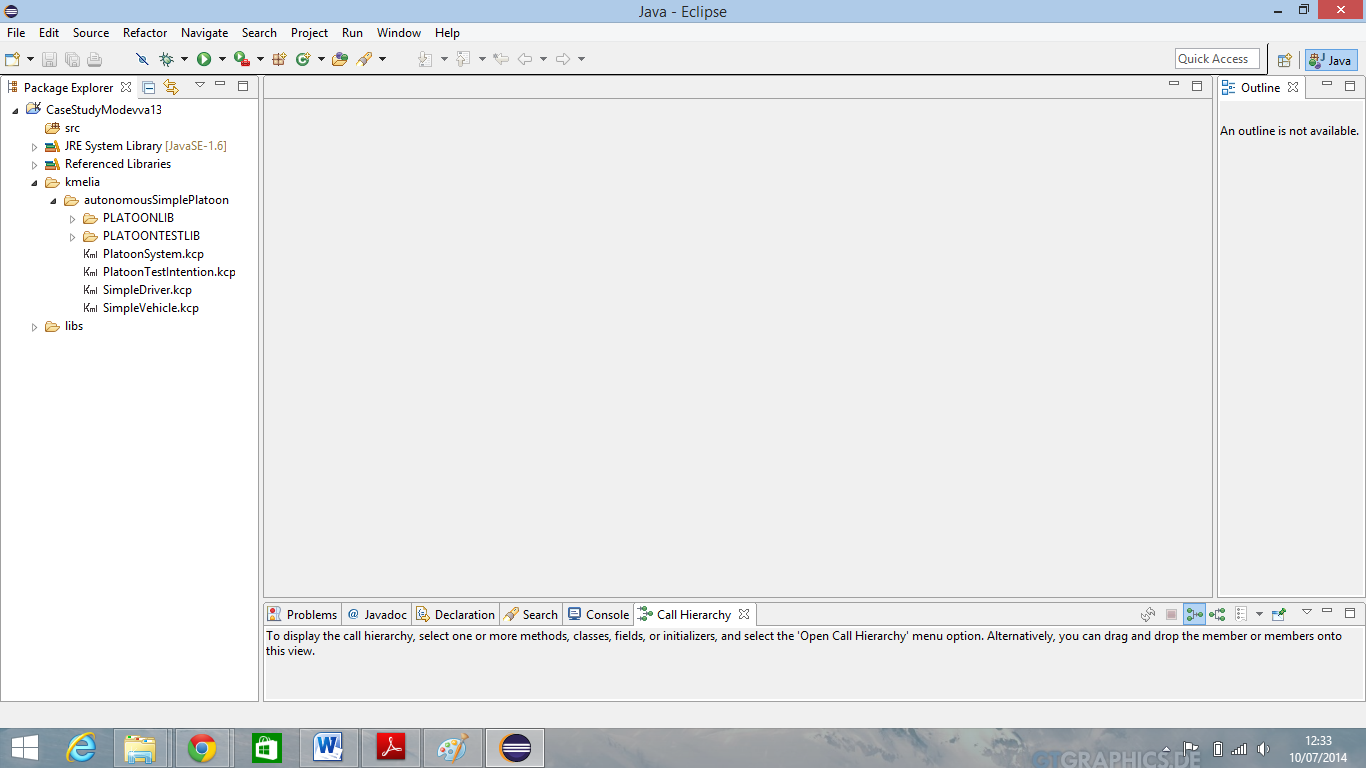
you can see above your project corretly imported into your eclispe workspace. - Unfold kmelia directory and double click on PlatoonSystem.kcp file to see its content.
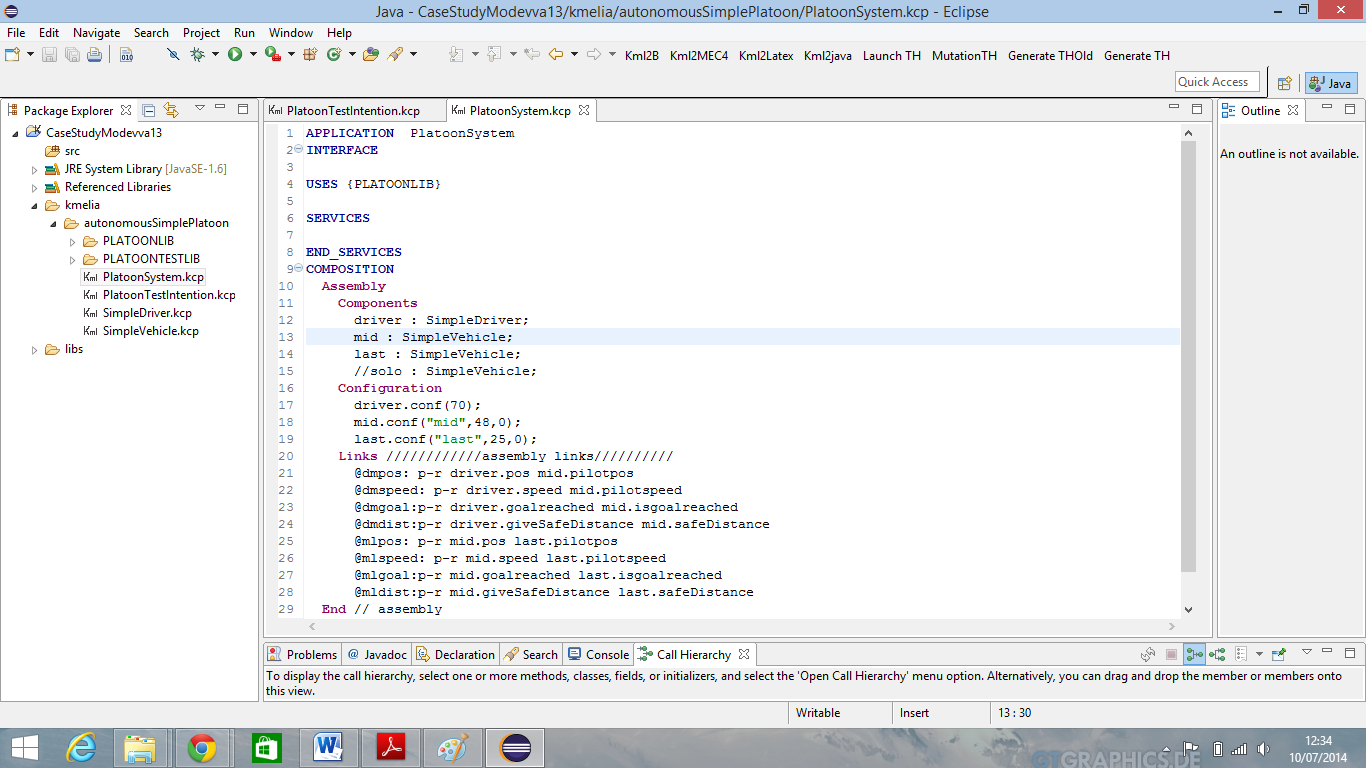
PlatoonSystem is an Kmelia application about intelligent system embedded on new generation of vehicle. Here we similate an set of 3 vehicles. The driver, the mid and the last.
Application abstract: The first is control by pilot (a man) and the other two without pilot. they are connected to the first via an intelligent system which allows control of the over vehicles from the first. This system allows the driver to convey both vehicle without a pilot to an prefixed destination with maintaining a distance of safety calculated dynamically depending on the speed of the vehicle predecessor.
- Our aim is to test PlatoonSystem application. For that we need a test intention file which resume what we want to test, of course an service or component
Double-click on the PLatoonTestIntention.kcp file to explore its content.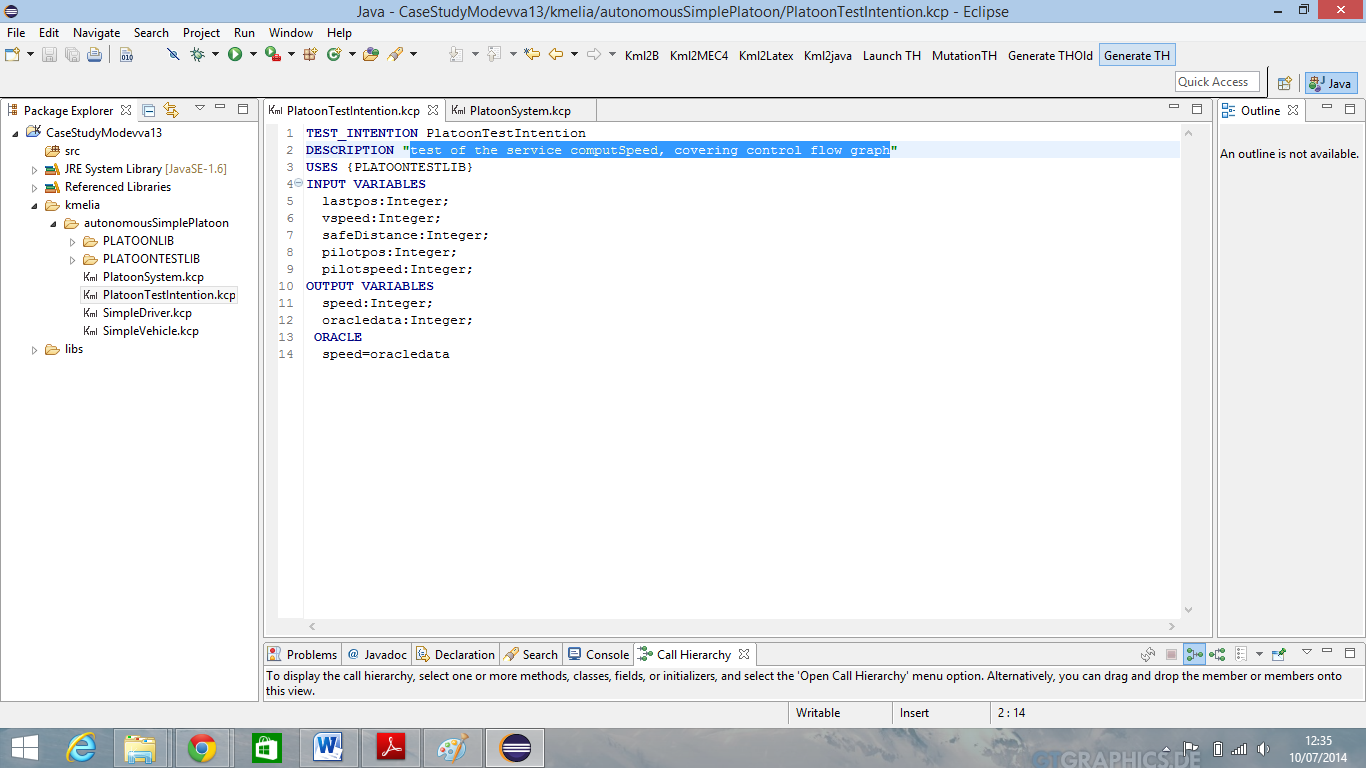 .
.
From this file click on “Generate TH” button on workbench (top-right). - A new window appears click on “Harness” and then click on “Select Target” menu item
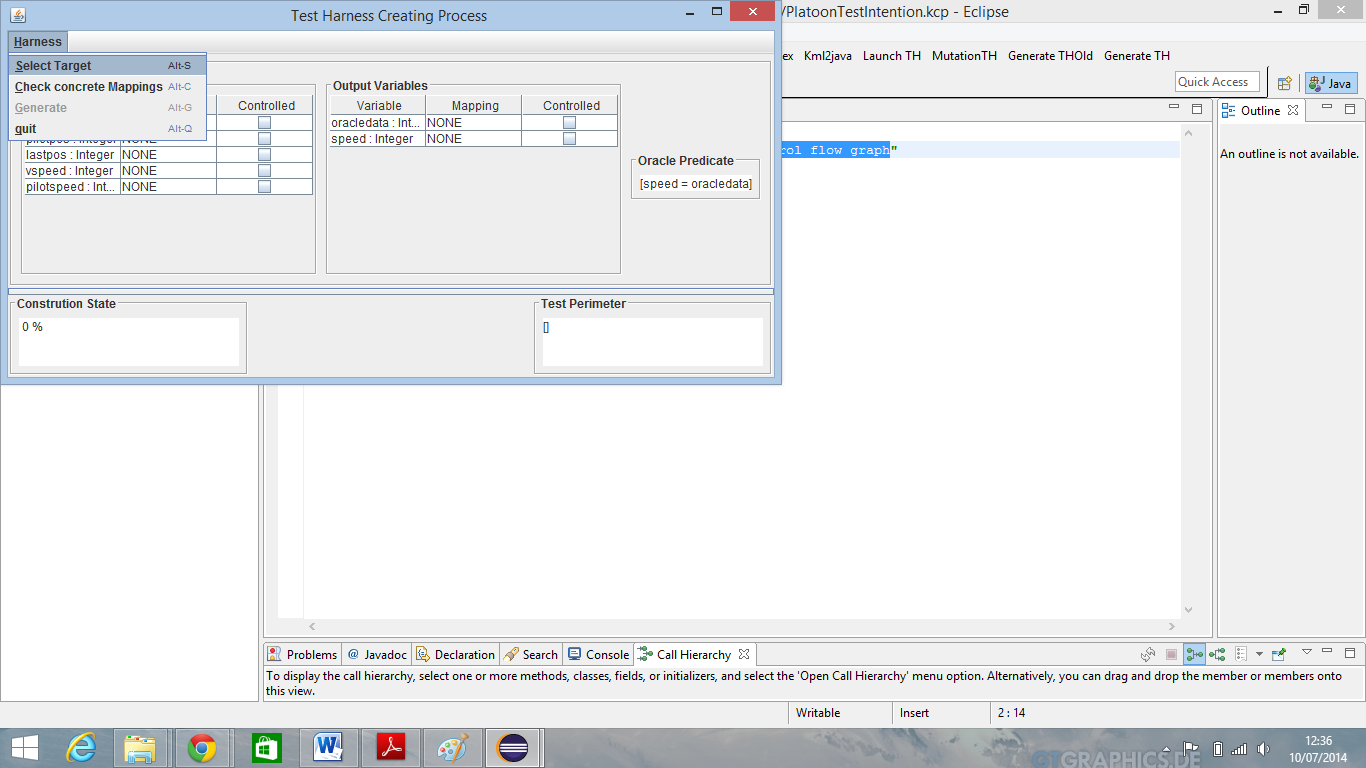
- Select PlatoonSystem.kcp and click on “Open” to load file.
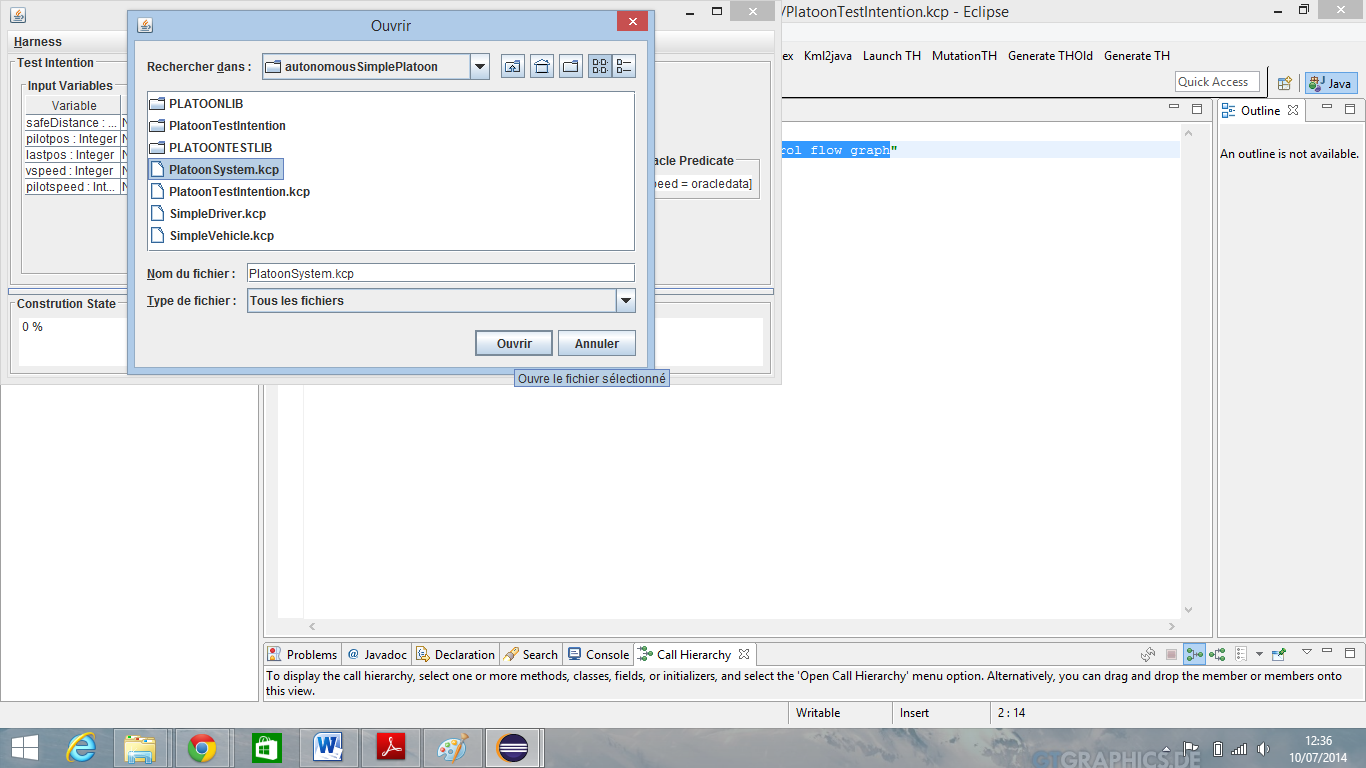
An pop up windows appears , choose the service you want to test. In our example choose computeSpeed service and click ok.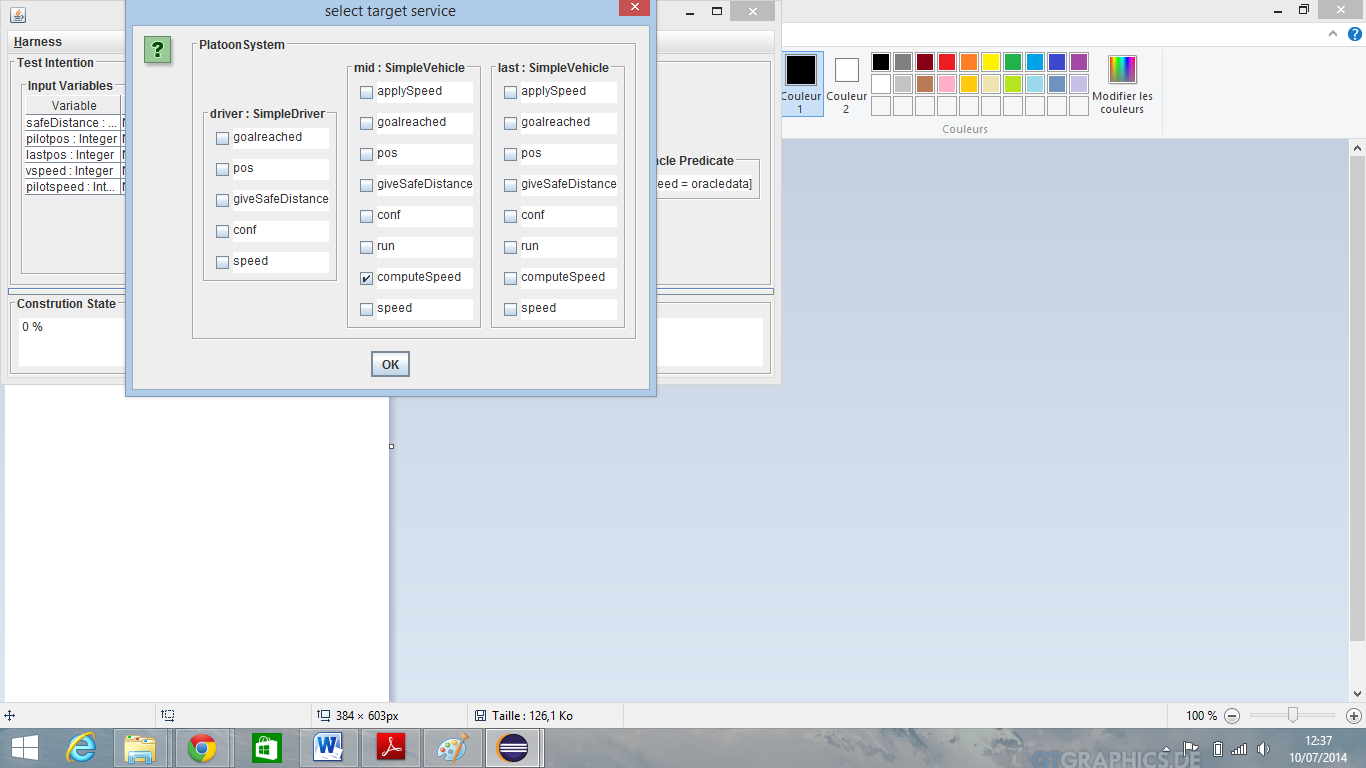
- We get now a new windows resuming system under test and its configuration variables.
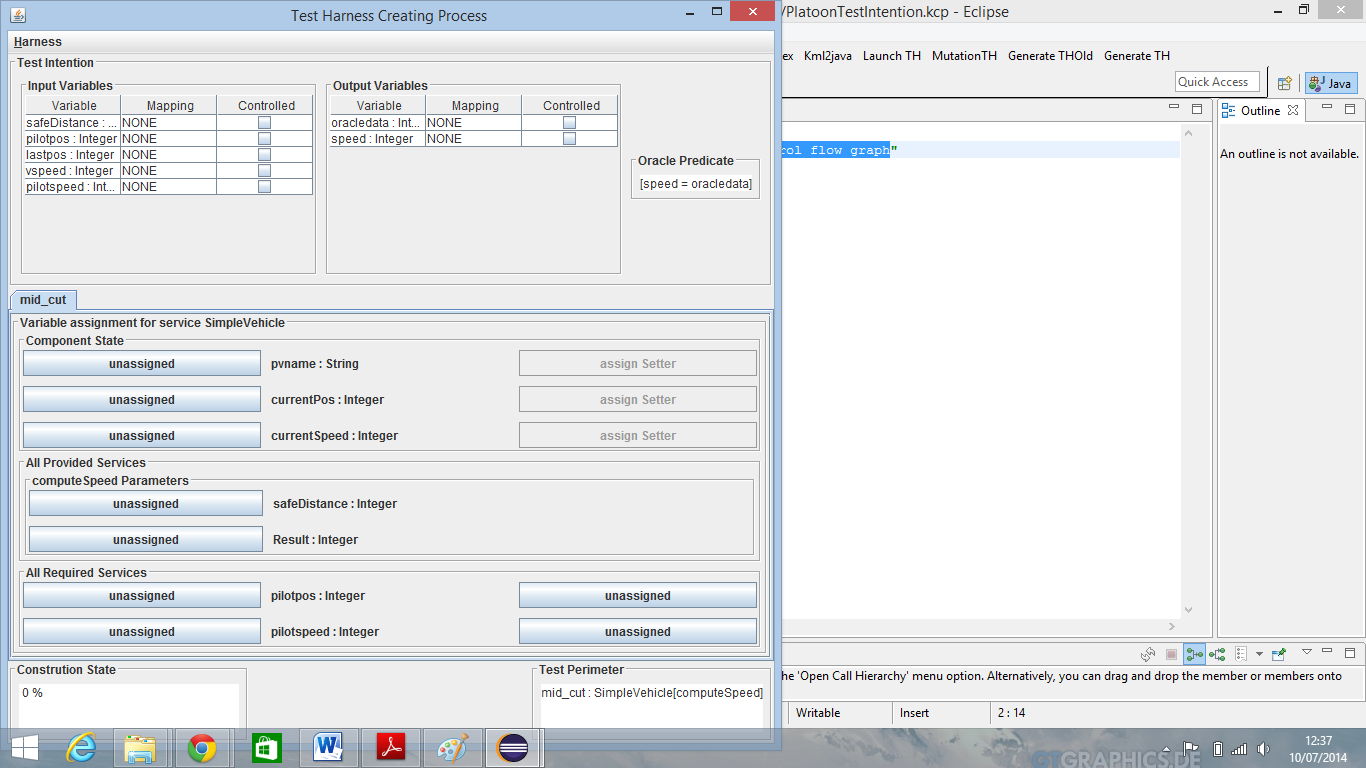
From here we will assign all required variables to each corresponding variables from our test intention in our to build test harness
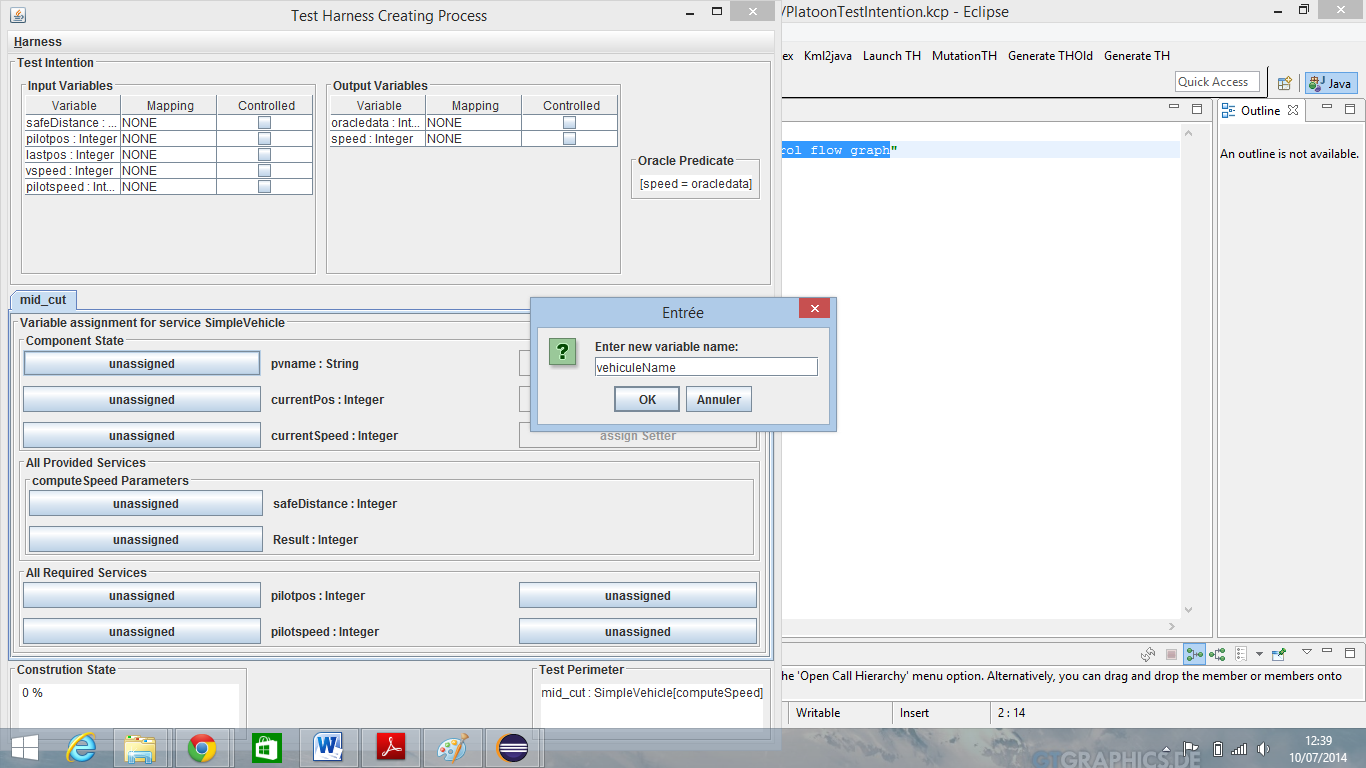
Click on unassigned button on the same level with pvname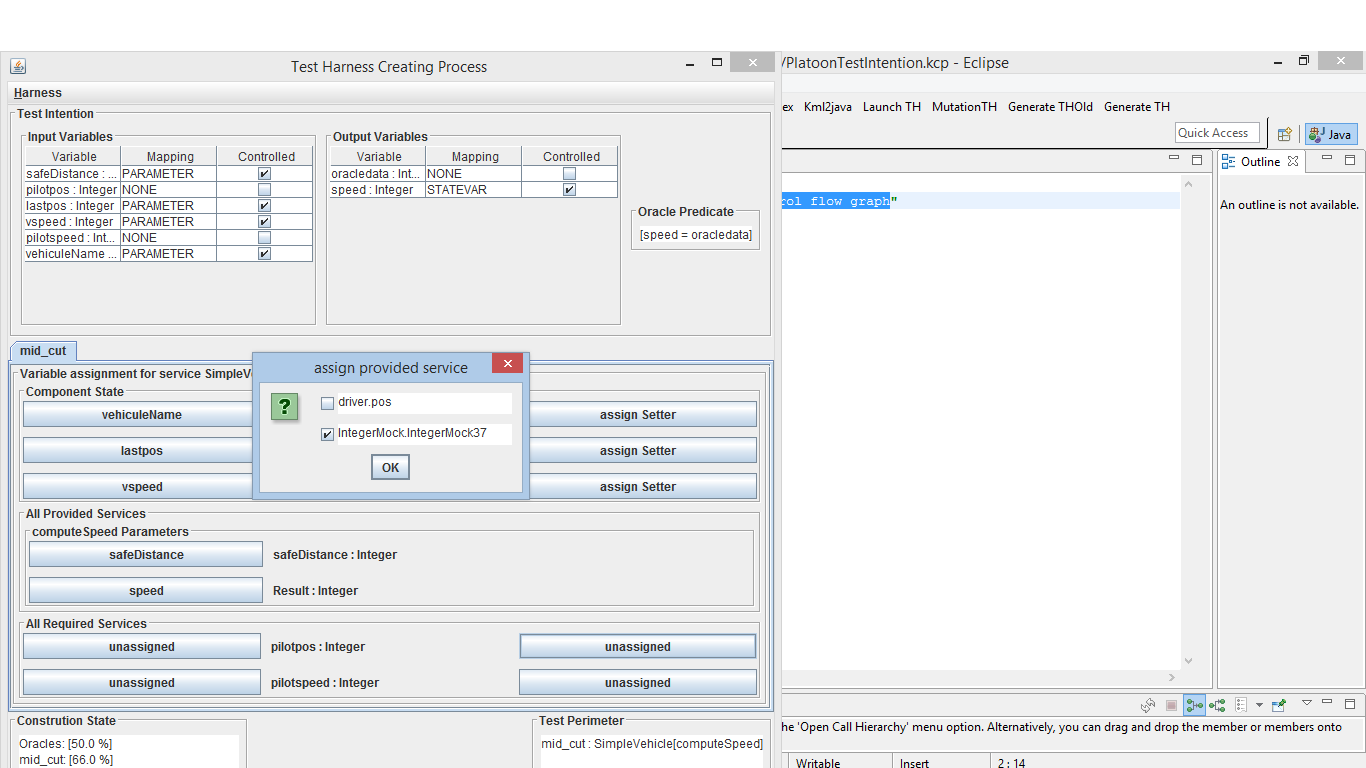 label. Choose create “New Input Variable” from pop up dialog which appears and click OK. Give a name to this new variable ,for example “vehiculeName” and click OK.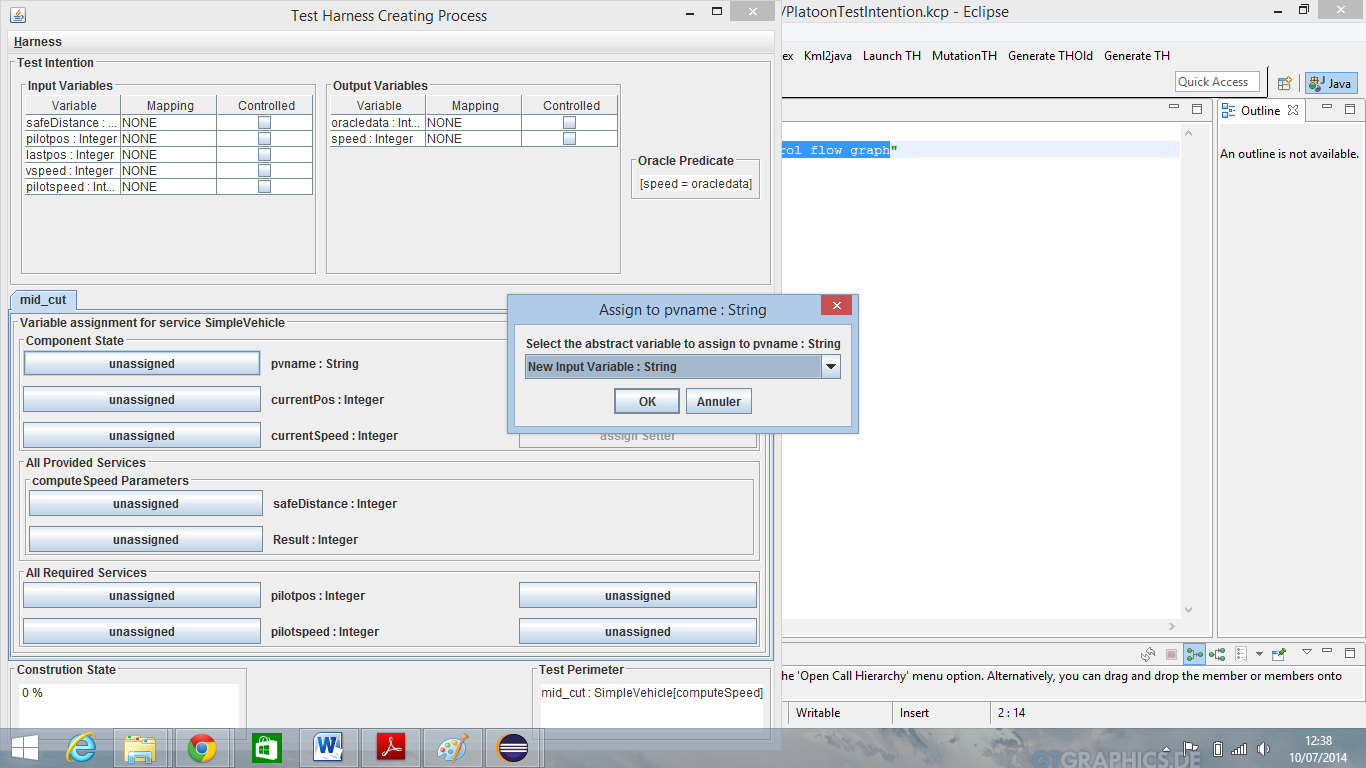
- Assign currentPos variable :
Click on unassigned button on the same level with currentPos label. Choose “lastpos” from pop-up dialog which appears and click OK.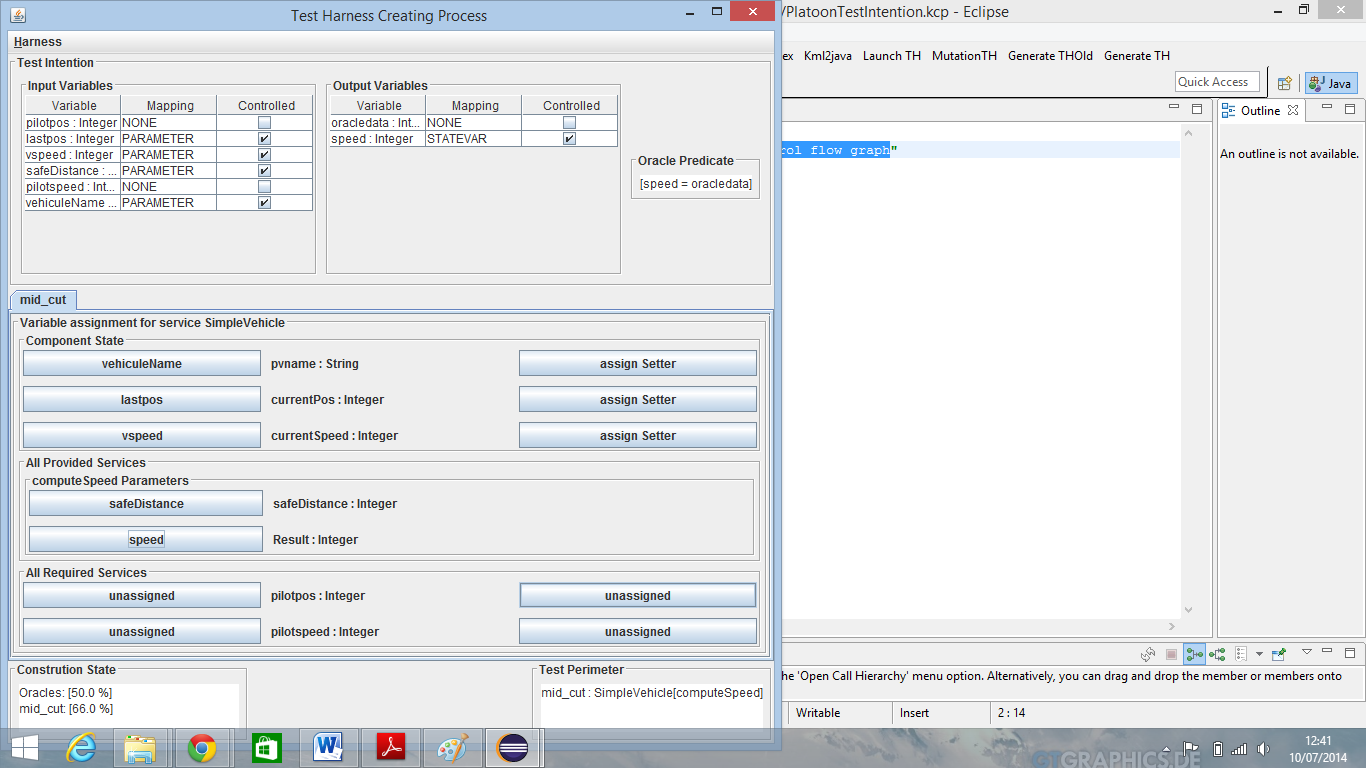
Assign: currenSpeed to vspeed, safedistance to safedistance, and Result to speed. - Assign Required services:
Click on unassigned button on the same level with pilotpos.
Choose “IntegerMock” from pop-up dialog which appears and click OK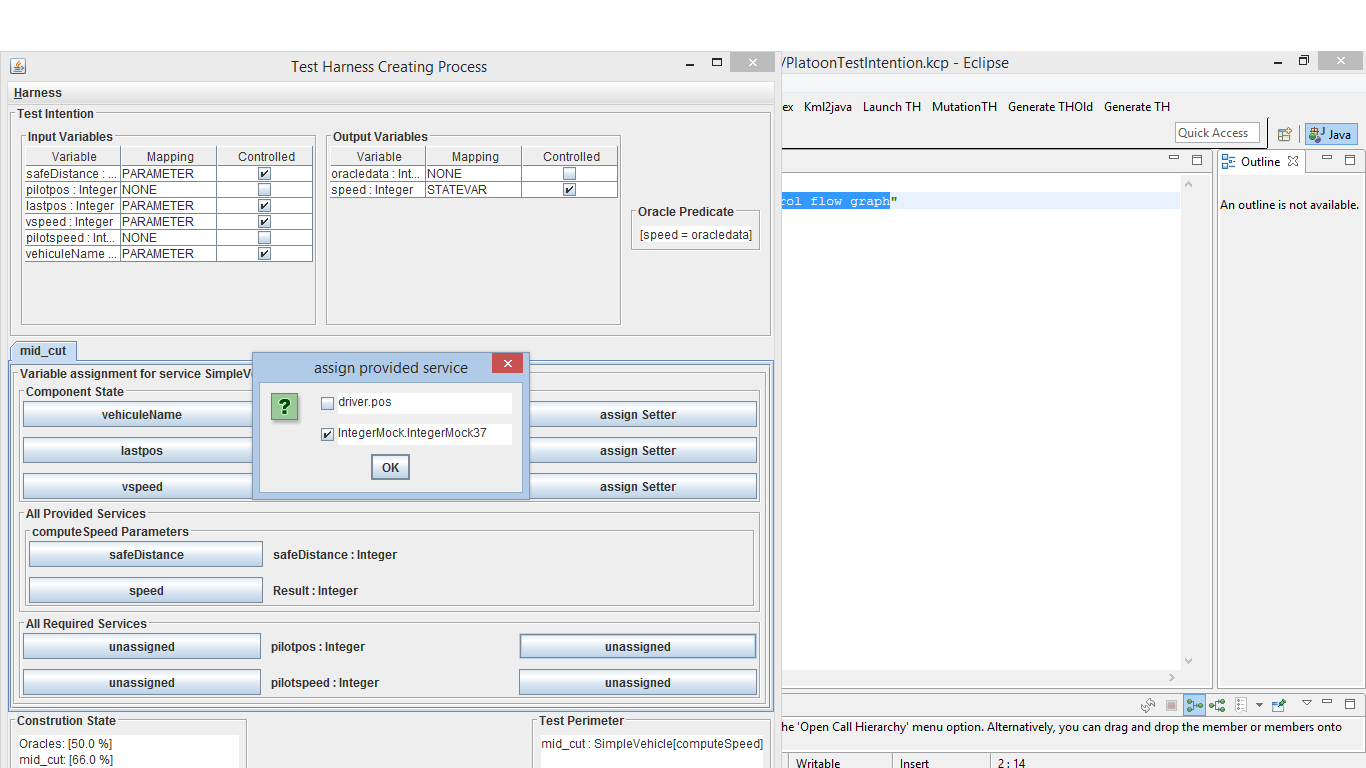 .
.
A new IntegerMock tab is added. Go to this tab and click on unassigned button on the same level with value label.
Assign this variable to pilotpos.
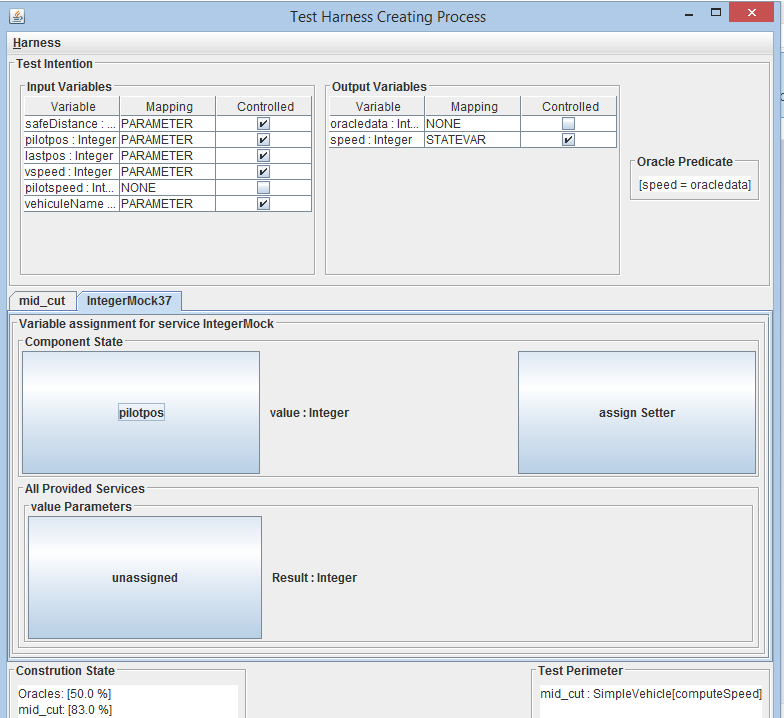
- Do the same with pilotspeed and assign it to pilotspeed
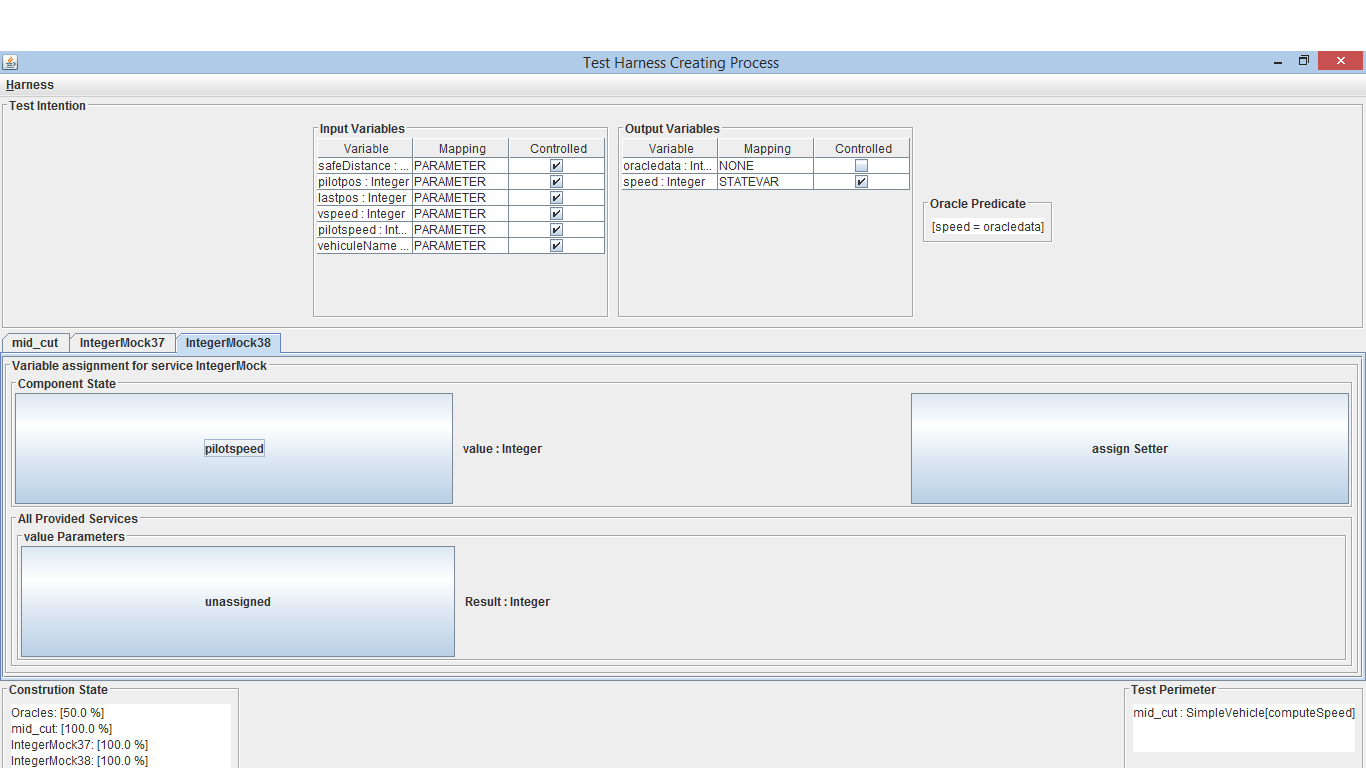
- Now click on “Generate” item form Harness menu to generate your test harness.
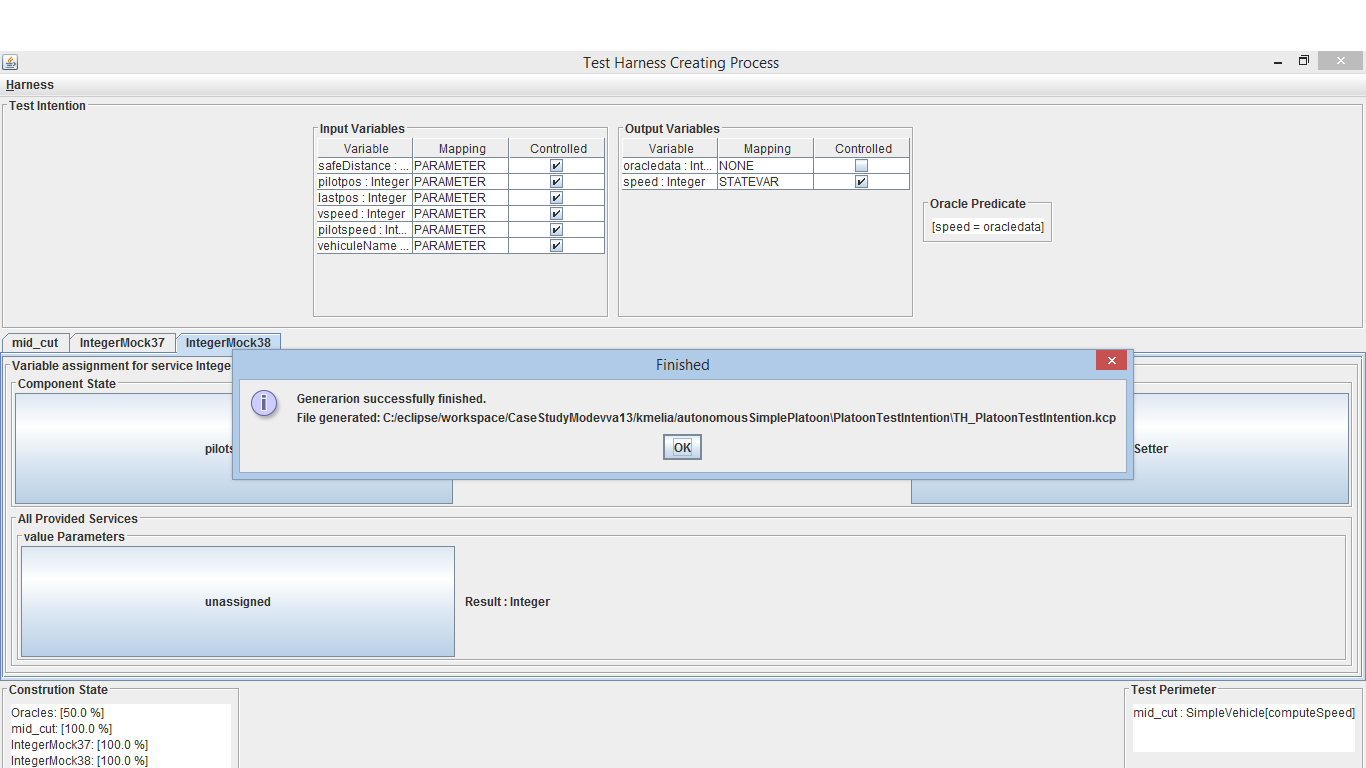
Two confirmation pop-up appears, click OK.
- Close this windows and return to your eclipse workbench. Refresh your project and unfold the new folder generated “PlatoonTestIntention folder”
Double click on test harness file “THPLatoonTestIntention.kcp”. From this test click on “Launch TH” button.
A dialog bow appears, select the number of tests data you want to build.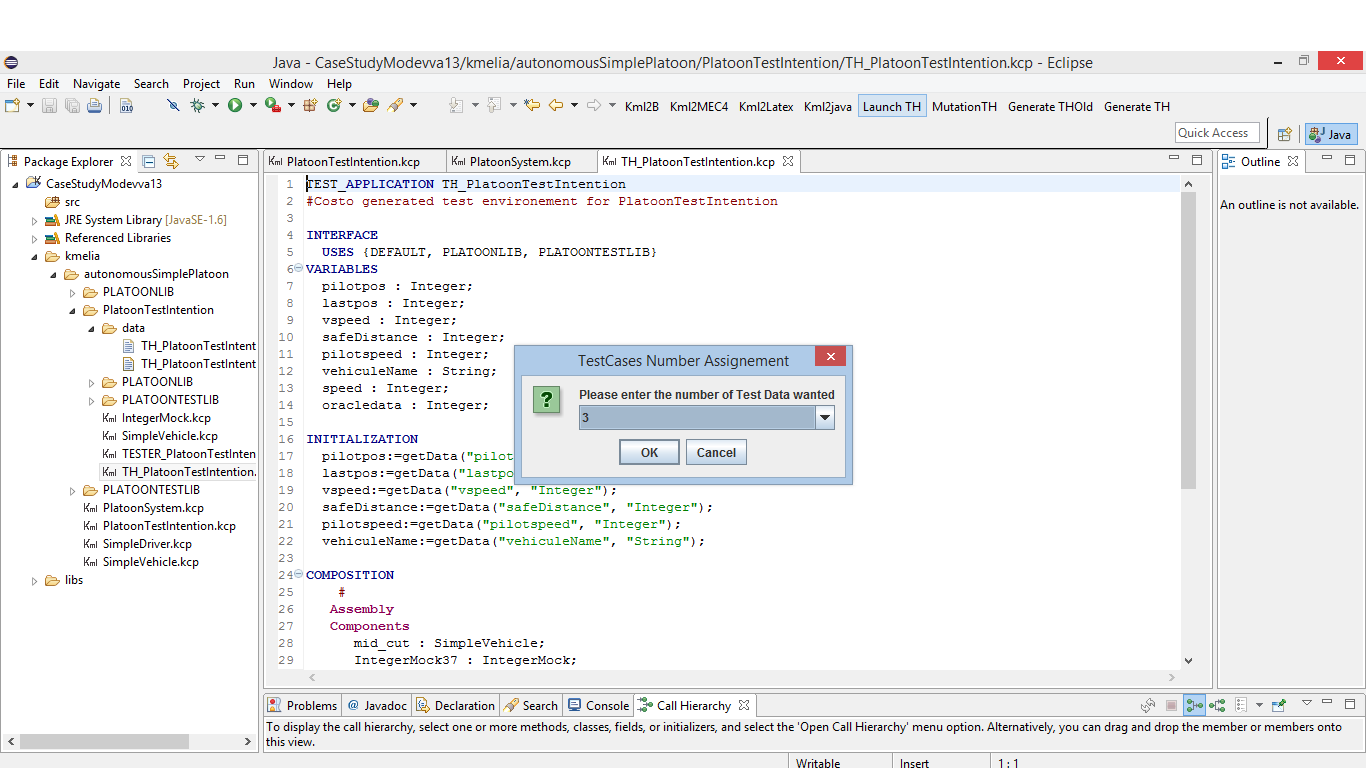 ===== Third step : Building Tests Data And launch Test process=====
- Select three tests data configuration in pop-up box as specified in FIG Previous
===== Third step : Building Tests Data And launch Test process=====
- Select three tests data configuration in pop-up box as specified in FIG Previous
an edition table opens, fill all the cells depending on the type of data.
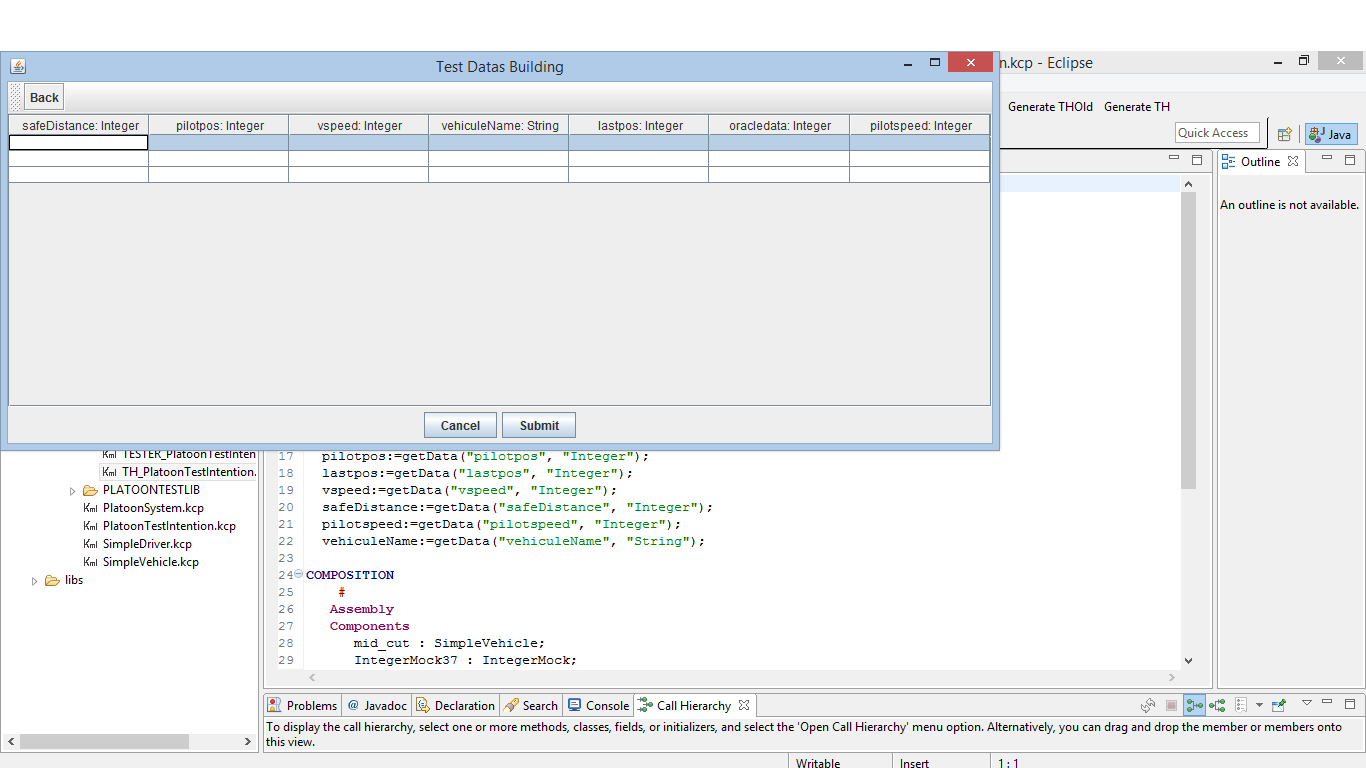
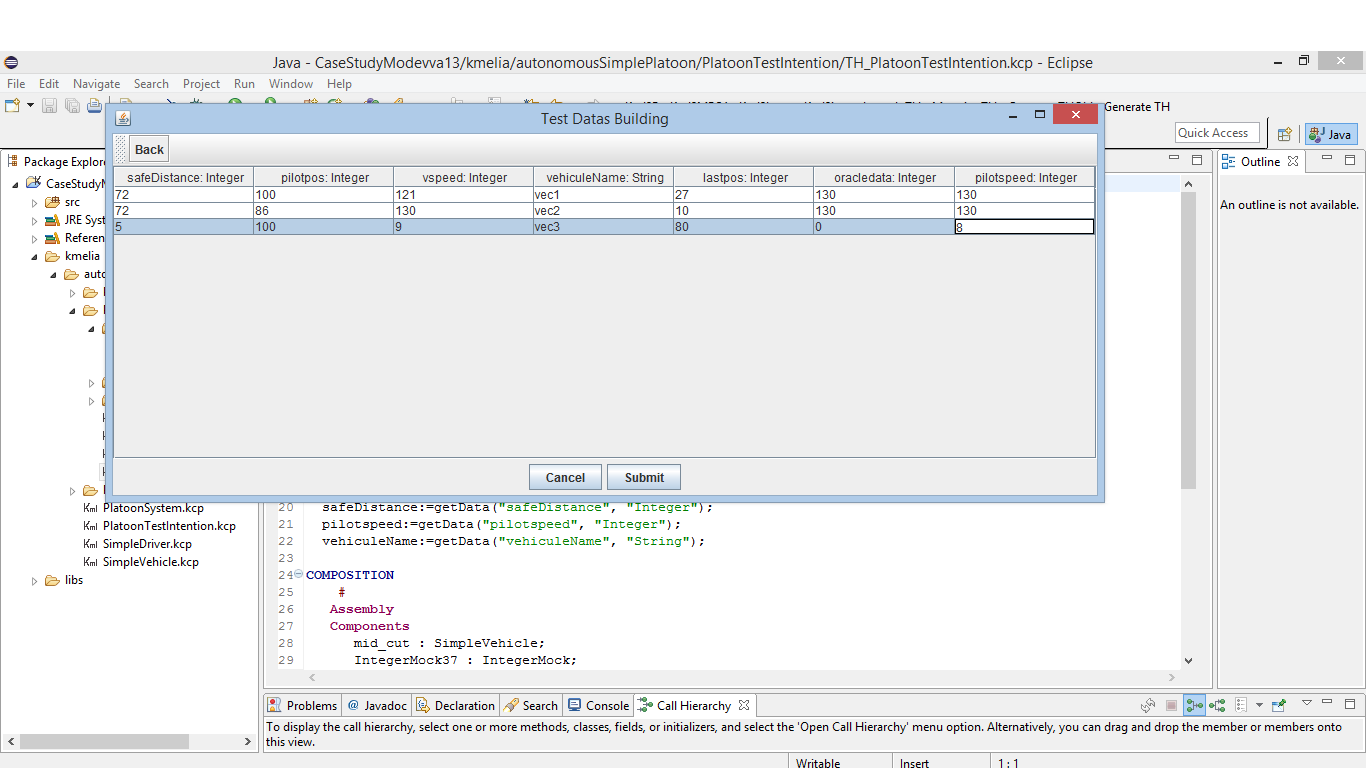
After that click on Submit button. - Once again close this windows and go to your eclipse workbench to refresh your project. Go to PlatoonTestIntention Data folder and double click on data.xml file to see your data generated.
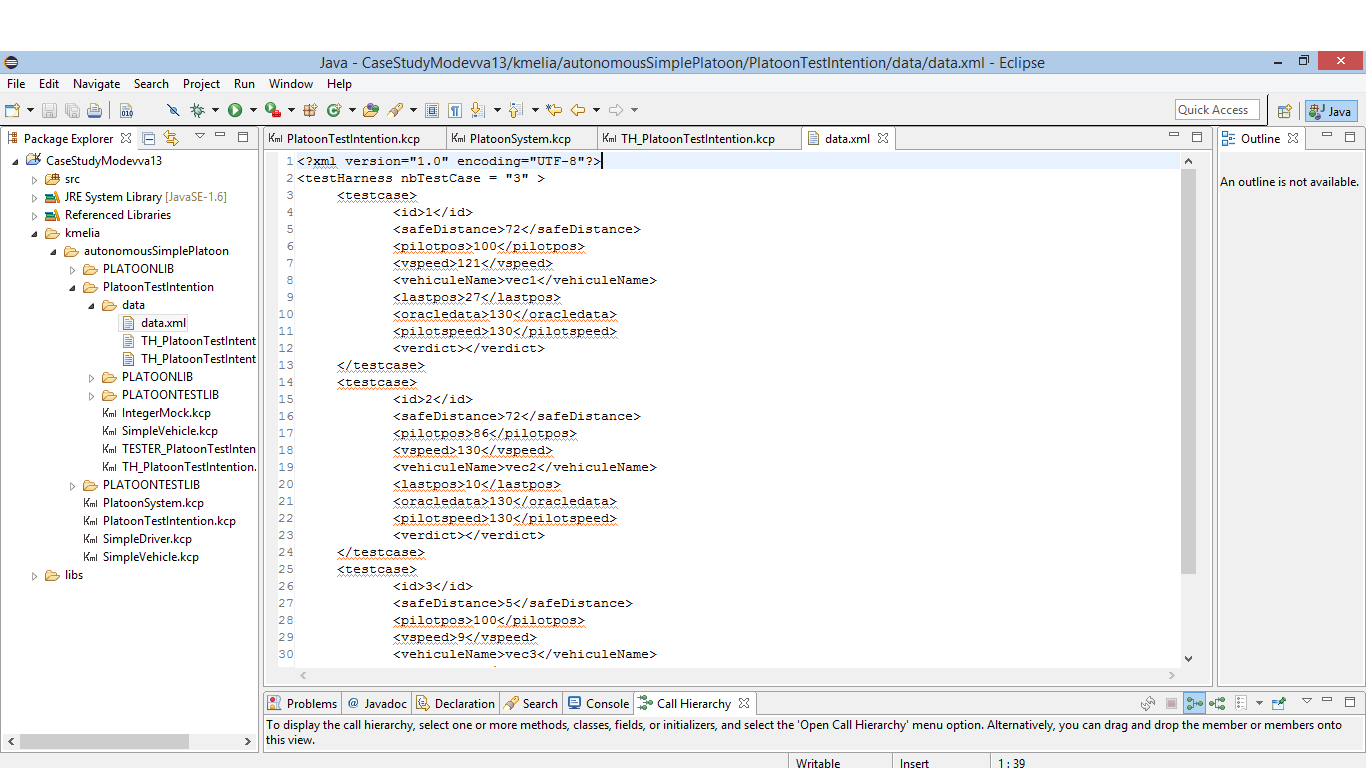 - Go to src directory, unfold its and find LauncherTHPlatoonTestIntention. Run it as Java Application and see the result in real-time.
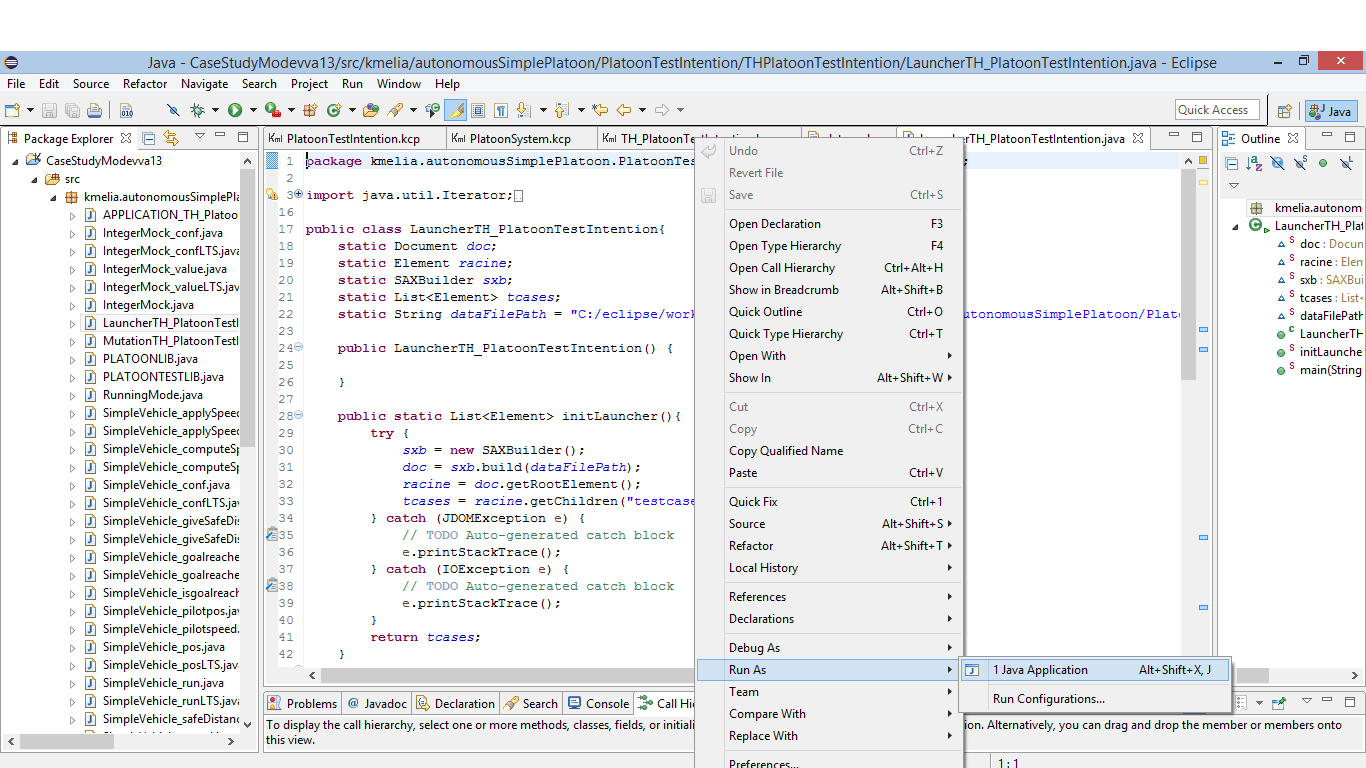
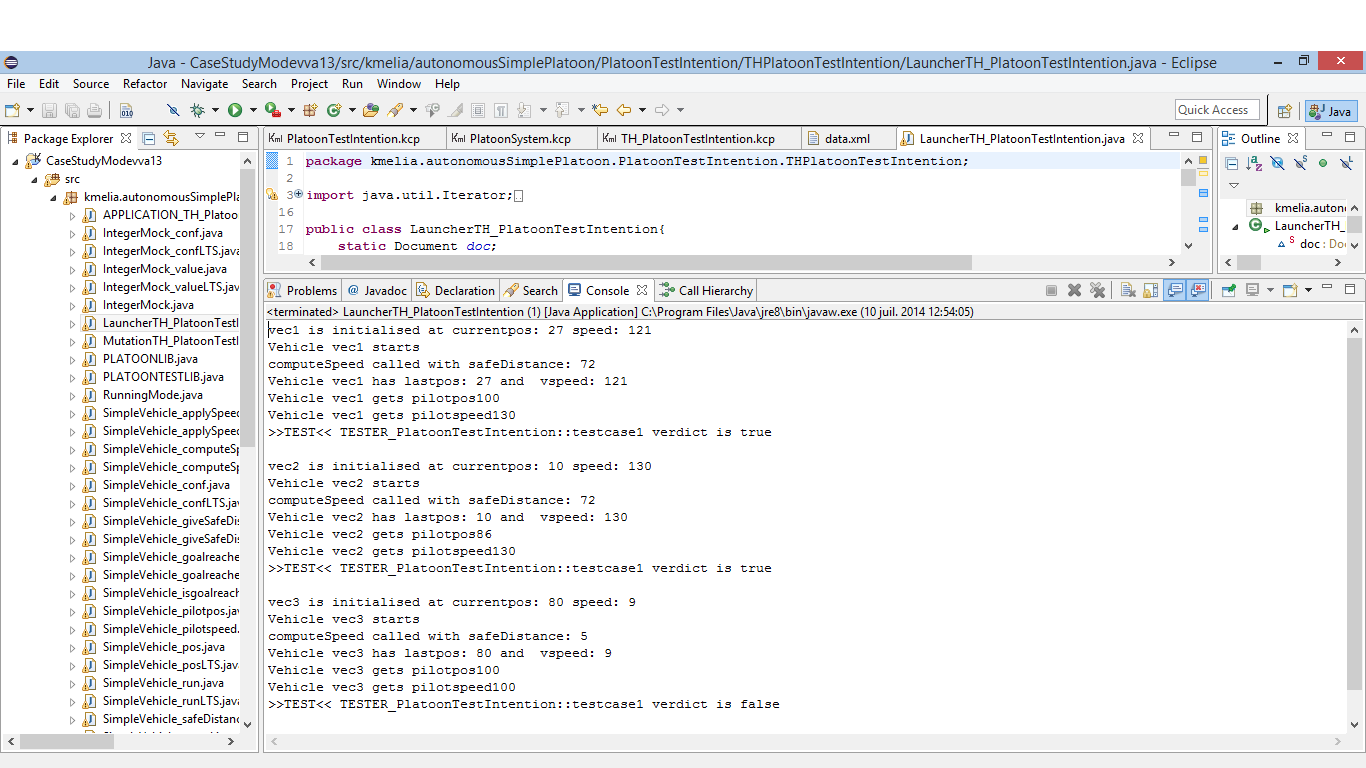
The log of this test can be found in Data directory. his name is “data_res.xml”.
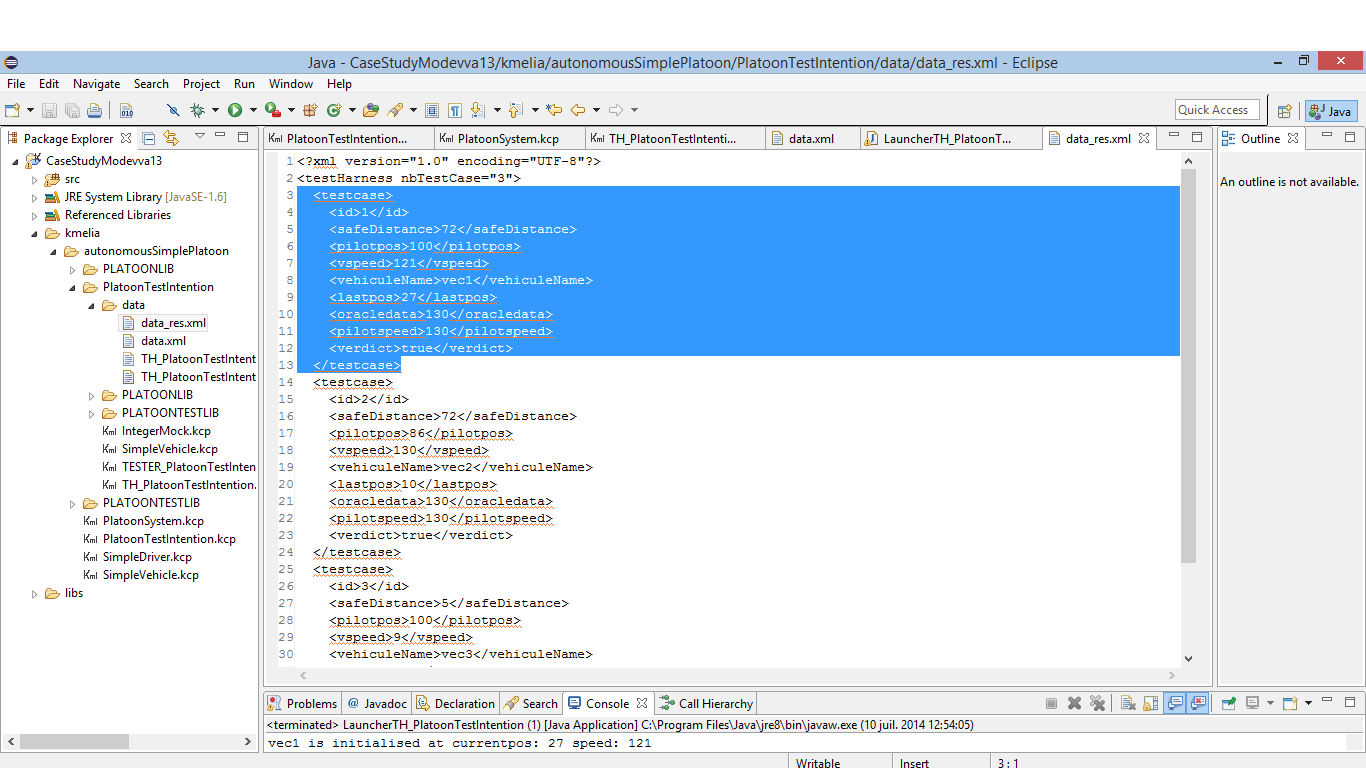


Conclusion: we applied 3 configurations to our test harness. they are a true verdict (100% success), so we can deduce that the specification of our model is reliable